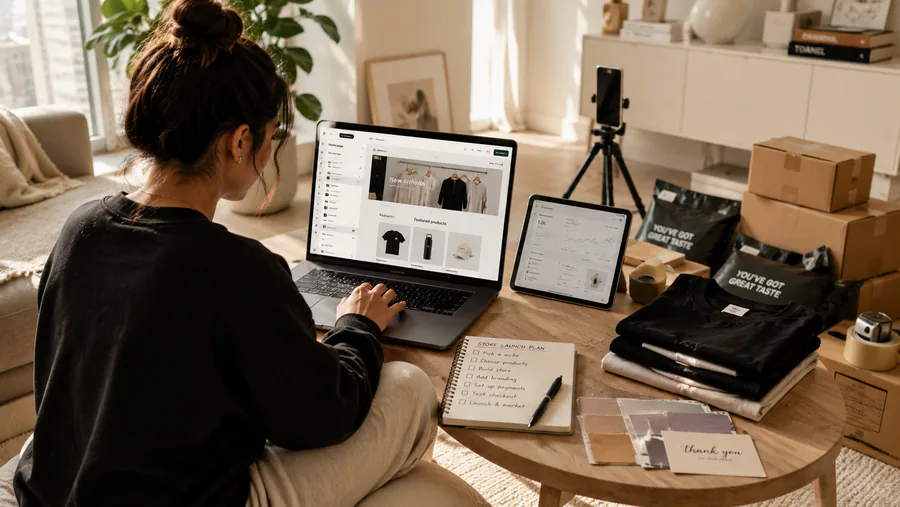
Picture two ways to open a shop. The first is renting a stall inside a mall that is already full of people. They came for the mall, you just need to catch a few of them as they walk by. The second is building your own shop on a quiet street where nobody is walking yet. Better sign, better windows, your name over the door, every dollar a customer spends stays cleaner in your pocket. But you have to go out and bring every single person yourself.
That second shop is a Shopify store. If you understand that one sentence, you already understand the hard part of how to start a Shopify store - the part most beginner guides quietly skip.
I am not here to sell you the laptop-on-a-beach picture. Shopify is a good tool. It is also the tool where I see the most beginners burn three weeks and quit before a single stranger ever sees their store. So let me walk you through it the way I would tell a friend, not the way a sales page would.
What Shopify actually is, and what it is not
Shopify is software that lets you build and run your own online store without writing code. You get an admin panel, a checkout, payment processing, ready-made themes, and an app store to bolt on extra features. You point a domain at it and you have a real shop at your own web address. That is the whole product, and it is genuinely good at it.
Here is what Shopify is not. It is not Amazon. It is not Etsy. It is not eBay. Those are marketplaces - they have millions of people already searching and buying inside them every day. Shopify gives you the building. It does not give you the foot traffic. A Shopify store on launch day has exactly zero visitors, and it will stay at zero until you do something about it.
This is the single fact that decides whether Shopify works for you. Not the theme. Not the apps. Traffic. I wrote a whole separate piece on this because beginners get it wrong so often - read why your online store isn't getting sales before you spend a cent.
When Shopify makes sense, and when a marketplace is the smarter first move
I will take a position here instead of giving you both sides. If this is your first time selling anything online, and you have no audience, no ad budget, and no patience built up yet, start on a marketplace. Etsy or Amazon or eBay. Let the platform's existing shoppers carry you to your first sales. You will learn how listings, pricing, and customers actually behave with real money on the line, and you will not be staring at a flat sales chart wondering if you are broken. I broke this comparison down properly in Etsy vs Amazon vs your own store - read that if you are still deciding.
Shopify makes sense when one of these is true. You already sell on a marketplace and you have a repeat customer base you want to own instead of renting. You have a real brand idea, a niche with a personality, and you want full control over how it looks and feels. Or you have a product cheap enough and emotional enough that you can run paid ads to it and make the math work - something under $50 that makes a person say "I want this right now."
If none of those describe you yet, Shopify is not wrong, it is just early. There is no shame in that. Move slowly, but move every day, and you will get there.
How to start a Shopify store: the setup steps in plain order
Now the practical part. How to start a Shopify store is not complicated as a sequence of clicks. Do these in order and do not skip ahead.
Start the free trial. Shopify lets you build the whole store before you pay anything real. Use the trial to actually build, not to poke around. Then pick a plan - the cheap starting plan is fine for a beginner, you do not need the expensive tier until you have orders. Paying for the top plan before your first sale is spending money to feel like a business instead of running one.
Add a domain. You can buy one straight through Shopify or connect one you already own. Get your real brand name on it. A store living on a yourname.myshopify.com address looks temporary, and strangers read temporary as untrustworthy.
Choose a simple theme. Shopify has free themes that are clean and convert fine. Pick one and stop. I mean it - pick one and stop. The theme is not your problem and we will come back to why in a minute.
Add your products and organize them into collections. Collections are just groups - "mugs," "wall art," "under $25," whatever fits how a customer would shop. Write real product descriptions and use real photos. This is where your time should go, not the font picker.
Set up payments and checkout. Turn on Shopify Payments or another processor so you can actually take money. Then place a test order yourself, start to finish, on your phone. You would be surprised how many stores launch with a checkout that quietly does not work.
The trust elements that actually make strangers buy
A marketplace lends you its trust. When someone buys on Amazon, they trust Amazon, and your store rides along for free. On your own Shopify store, the customer has never heard of you. You are a stranger asking for a credit card number. You have to build the trust yourself, on the page, before they will click buy.
The elements that do this are not fancy. Real customer reviews on the product page - even a handful beats zero. Clear shipping information stated plainly: what it costs, how long it takes, no hunting for it. A real contact method, an email or a chat, so the buyer knows a human exists behind the shop. And a refund policy written like a person wrote it, because "you can send it back if it's wrong" removes more fear than any discount code.
Trust converts better than discounts. A nervous stranger does not need 10% off, they need a reason to believe the package will actually arrive.
Add these before launch, not after your first angry message. They are the difference between a visitor and a buyer.
The trap that eats three weeks of your life
Here is the mistake I see more than any other, and it is the reason I wrote this whole article the way I did.
A beginner opens Shopify, gets excited, and spends the next three weeks perfecting the store. Testing fonts. Nudging the logo two pixels left. Trying a fifth theme. Picking the exact shade of the buy button. Watching tutorials on the header layout. And at the end of those three weeks the store looks beautiful and has sold nothing, because no product was ever truly live and no visitor was ever brought in.
In my book I split every action a person can take into two kinds. Here is the line, straight from it:
There are two types of actions: effective and flashy. Flashy actions are about showing the world how cool your project is. Effective actions are analytics before the start. You don't need flashy actions that make you look impressive to others if they don't actually improve your life.
Perfecting your fonts before a product is live is a flashy action. It feels like work. It produces a nice screenshot. It moves your business forward by zero. Adding a product, writing a real description, setting up checkout, sending traffic - those are effective actions. The store does not need to be perfect to be open. It needs to be open. You fix the rest while real customers are already walking in.
Think of it like a video game. You do not stand in the character creation screen for three weeks adjusting the jawline. You make a decent character and you go play the level. The level is where you actually level up.
Brand store or one-product store
There are two shapes a Shopify store usually takes, and you should pick one on purpose.
A brand store sells a range of products around an identity - a poster shop, a pet brand, a home goods label. It builds slower, but it builds something that lasts, with repeat buyers and a name people remember. A one-product store puts everything behind a single hero product. It is faster to launch, easier to make the ad math clean, and it is the natural home for that under-$50 "wow" item I mentioned. The risk is obvious: when that one product fades, the whole store fades with it. I have watched a seasonal one-product store look brilliant for months and then die the moment the season ended.
Neither is wrong. A one-product store is a good way to learn ads fast. A brand store is the better long game. If your product is print on demand, the brand-store route fits well - I covered that path in print on demand for beginners. Just decide which one you are building before you build it, so every choice points the same direction.
How you will actually get traffic
This is the part beginners skip, and skipping it is why most Shopify stores never make a sale. Your store is the shop on the empty street. Now you have to bring the crowd, and there are really only three ways to do it.
Paid ads. Facebook, Instagram, TikTok, Pinterest. You pay to put your product in front of people. Fast, controllable, and it costs money every single day - so your unit economics have to actually work or you are just buying expensive visitors.
Content. Posting on social media consistently, building a following, showing the product in use. Slow to start, close to free, and it compounds. The account you build does not stop working when you stop paying.
And word of mouth and email - your existing customers coming back and bringing friends. This one only exists after you have customers, so it is the reward for doing the first two long enough.
Pick at least one and commit to it before you launch. Write it down. "I will post every day for 60 days" or "I have a $300 test budget for ads." A Shopify store with no traffic plan is not a business, it is a screenshot. The first sale on your own store realistically comes after two to four weeks of real, daily effort - not the same day, and that is normal. If you want the full system - choosing the product, sourcing it, the ads, the AI tools that cut the boring work - that is what the full course is built to walk you through.
Building the store is the easy half, and you can do it this week. The hard half is showing up every day to bring people to it. Do that, and the empty street fills up.